Compose your documents
Turn your documents into stunning designs with myndlab.ai
Composer
Overview
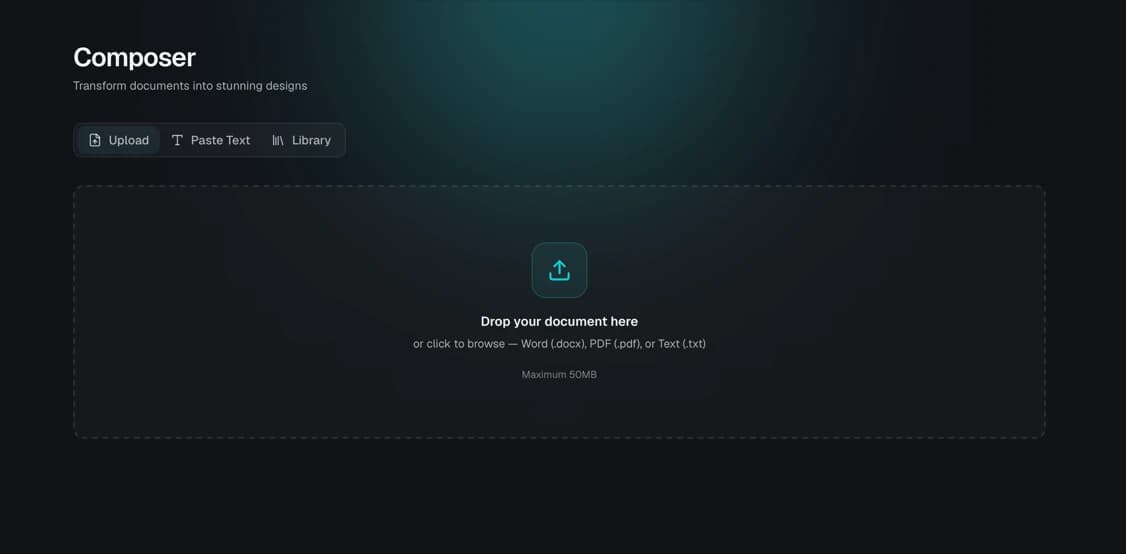
Composer is here to turn your plain documents into your dream design. You can use a simple prompt, upload documents, or paste text into Composer to turn it into a document with your Design DNA.
Upload your document
Start by uploading the document you want to transform. Composer supports common file formats like PDF, Word, and plain text.
- 1
Open Composer
From your dashboard, click 'Composer' to start a new project.
- 2
Drag or browse your document
Drag your file into the upload area, or click to browse your device and select the document.
- 3
Wait for parsing
Composer reads your document's content and extracts its structure — headings, paragraphs, and lists — ready for design.
Paste your text
Don't have a file ready? You can simply paste your text directly into Composer and it will be treated the same way as an uploaded document.
Paste in your report, proposal, or notes — Composer will detect headings, sections, and lists automatically, then apply your Design DNA on top.Composer works best when your pasted text has clear headings and paragraphs — this helps it infer the document's structure accurately.
Design your document
Once your content is imported, Composer applies your Design DNA — colors, fonts, and layout — to turn plain text into a professionally designed document.
- 1
Choose a design style
Pick from the available design templates, or use your saved brand Design DNA.
- 2
Review the layout
Composer arranges your content into a designed layout, preserving the order of headings and paragraphs.
- 3
Preview the result
Use the live preview to check how your document looks before moving on.
Prompt changes into your document's design
You don't need to manually redesign your document. Describe the change you want in your own words and Composer will apply it directly to the current design.
Make the headings bolder and switch the accent color to deep teal. Also tighten the spacing between paragraphs.Composer reads the current design and applies the change as a precise update rather than rebuilding from scratch, so the result shows up in the preview within seconds.
Short, focused change requests apply faster and more precisely. Tweak one element at a time, then preview the result before moving to the next.
Download your document
When you're happy with your document's design, you can export it as a PDF or DOCX.
Next steps
Now that you've created your first designed document with Composer, explore the other guides to learn more about Myndlab's features.